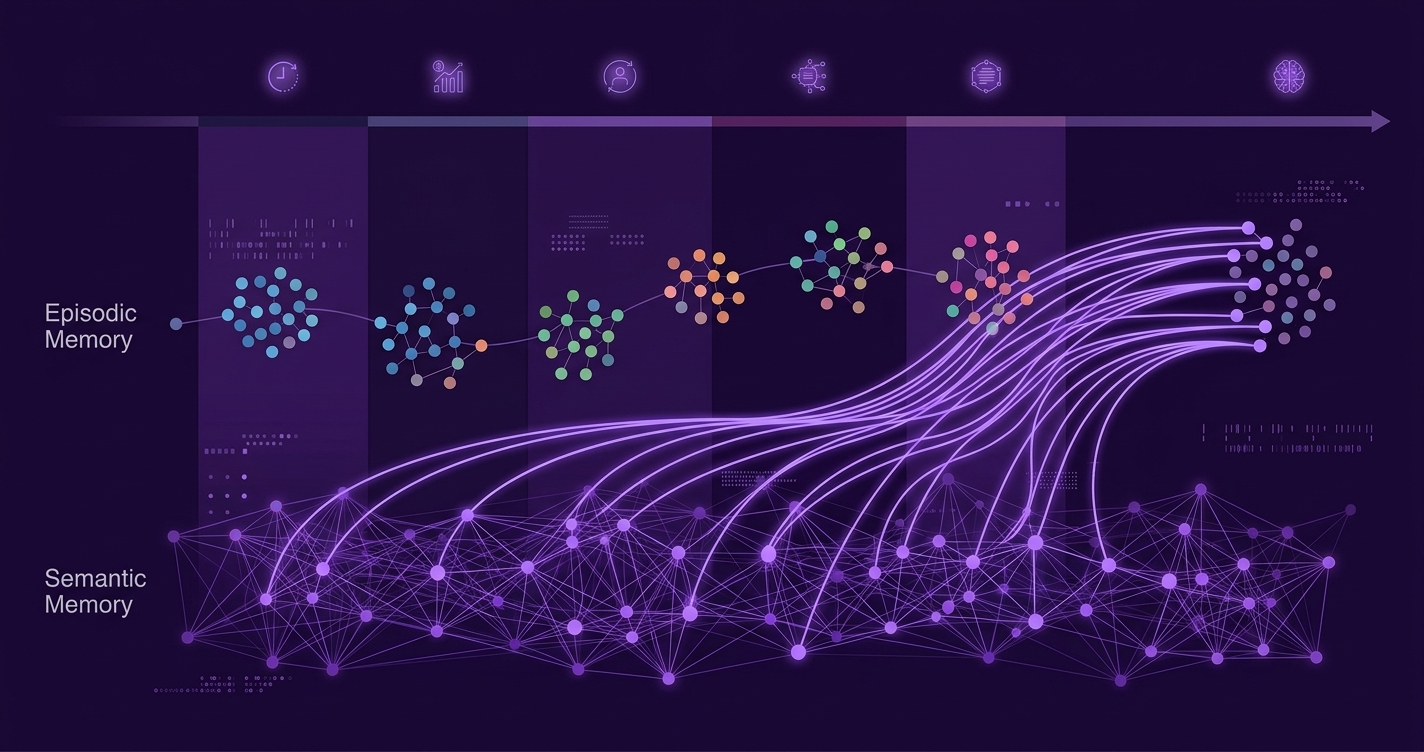
AI long-term memory is the ability of an AI companion to store, retrieve, and apply information from past conversations over weeks and months — not just within a single session. As of 2026, the best implementations use a retrieval-based architecture that separates memory storage from the language model, allowing companions to recall specific facts, emotional context, and relationship history long after the original conversation ended.
The two types of AI companion memory
Modern AI companion memory systems borrow from cognitive science and divide memory into two categories:
- Episodic memory — Records of specific events from past conversations. "On April 3, you told me about your job interview at the startup and you were nervous." Each episodic entry includes a timestamp, the content, and an emotional valence tag (positive, negative, neutral).
- Semantic memory — Distilled facts and patterns extracted from conversations. "You work in software engineering. You prefer mornings. You have a cat named Whiskers." Semantic entries are general truths, not tied to a specific conversation.
Here is how the two interact in practice:
| Aspect | Episodic memory | Semantic memory |
|---|---|---|
| What it stores | Specific events with timestamps | General facts and patterns |
| Example | "You mentioned on March 15 that your sister visited" | "You have a sister" |
| How it is created | Logged during conversation | Extracted after each session by a background process |
| Retrieval trigger | Temporal or thematic relevance to current topic | Direct relevance to current conversation |
| Volume | Large (many entries per user) | Compact (tens to hundreds of facts) |
| Degradation | Older entries get lower retrieval priority | Stable unless contradicted by new information |
Both types are necessary. Episodic memory provides narrative context ("Remember when you told me about...") while semantic memory provides factual grounding ("I know you are vegetarian, so I will not suggest steak restaurants"). A companion with only semantic memory feels like a database; a companion with only episodic memory can recall events but cannot generalize.
How memory retrieval works: the real-time pipeline
When you send a message to your AI companion, the memory system performs a retrieval step before the language model generates a response. Here is the sequence:
- Query encoding — Your message is converted to a vector embedding (a numerical representation of its meaning). This takes about 10–20ms.
- Vector search — The embedding is compared against all stored memory entries (also stored as embeddings) using cosine similarity. The top-K most relevant entries (typically 15–30) are selected. This takes 20–50ms on an optimized vector database.
- Relevance scoring — Each candidate memory is scored not just on semantic similarity but also on recency, emotional importance, and your memory proactivity setting. A recent, emotionally significant memory outranks a vaguely related old one.
- Context injection — The selected memories are formatted and injected into the LLM's context window alongside the recent conversation history and the character's personality definition.
- Response generation — The LLM generates a response informed by both the current message and the retrieved memories.
The entire retrieval pipeline adds 30–70ms to the total response time. It runs in parallel with other pre-processing steps, so the user-perceived latency increase is minimal.
The retrieval step is what makes modern AI companion memory fundamentally different from the "in-context learning" approach used by earlier chatbots. In-context learning stuffs the entire conversation into the prompt and hopes the model remembers. Retrieval-based memory actively searches a structured database and surfaces the most relevant information for each response. It scales to months or years of conversation history without running into context window limits.
What degrades and what persists
Memory in AI companions is not perfect. Understanding what tends to degrade helps you set realistic expectations:
What persists well
- Core facts — Your name, your job, your family members, your key preferences. These are stored as semantic memories and retrieved whenever relevant.
- Emotional patterns — "You tend to be stressed on Mondays." These are high-salience semantic entries that get reinforced through repetition.
- Important events — Major life events you discussed in detail. These have high emotional valence tags and are prioritized in retrieval.
What degrades
- Casual daily details — What you had for lunch three weeks ago. These are low-salience episodic entries that get deprioritized over time.
- Nuance and tone — The exact way you phrased something. Semantic memory extracts the fact but loses the original phrasing and emotional nuance.
- Relationship dynamics — The evolving "feel" of your relationship over time. AI companions track individual facts well but struggle with the gestalt of how your relationship has changed.
Model upgrade effects
When the underlying LLM is upgraded (a new version with better reasoning, different behavioral patterns), memories are preserved but the model's interpretation of them may shift. This can cause subtle personality changes — your companion might reference the same facts but respond to them differently. At TidalSpace, we minimize this by keeping the character's personality description and memory layer model-agnostic, but some drift is inherent in any model transition.
Comparing memory implementations across apps
| App | Memory type | Max retention | Retrieval method | Granular control |
|---|---|---|---|---|
| TidalSpace | Episodic + semantic | Unlimited (Pro) | Vector retrieval + relevance scoring | Yes — per-entry view and delete |
| Nomi | Episodic + semantic | Unlimited (Pro) | Retrieval-based | Limited — delete all only |
| Replika | Mixed (context + notes) | Several months | Context window + manual notes | Limited — "diary" entries |
| Character.ai | Character-scoped | Days to weeks | Context window dominant | No granular control |
| Pi | Session-scoped | Within session | Context window only | No persistent memory |
| Kindroid | Episodic + semantic | Several months | Retrieval-based | Moderate |
Practical tips for better AI companion memory
Based on thousands of conversations and user feedback, here are the practical actions that make the biggest difference in memory quality:
- Be explicit about important facts — Do not assume your companion will infer key information. Say "I want you to remember that I am allergic to peanuts" rather than hoping it picks up on a passing mention.
- Reference past events by name — "Remember when I told you about my promotion?" triggers a targeted retrieval that is more effective than waiting for the AI to surface it unprompted.
- Correct mistakes immediately — If your companion misremembers something, correct it right away. "Actually, my dog's name is Bear, not Bingo." The correction is stored as a higher-priority memory entry.
- Use the memory dashboard — In TidalSpace, you can view all stored memories and delete inaccurate ones. Periodic review keeps the memory store clean and accurate.
- Understand memory proactivity settings — Low proactivity means the companion only recalls when directly relevant. High proactivity means it actively weaves memories into responses. Choose based on your preference — some users find high proactivity intrusive.
Memory and privacy: what you should know
Long-term memory is the most privacy-sensitive feature of any AI companion. Your memory store contains a detailed psychological profile — your preferences, habits, emotional patterns, and personal history. Key considerations:
- Who can access your memories? — In TidalSpace, memory data is encrypted at rest (AES-256) and in transit (TLS 1.3). Engineers cannot read your memories in plaintext. This should be the standard for all companion apps.
- Can memories be used for training? — TidalSpace's "do not train" toggle (enabled by default) covers memories as well as conversations. Some apps are less clear about whether extracted memories are used for model improvement.
- Can you export your memories? — Under GDPR Article 20 (data portability), yes. TidalSpace supports JSON export of all memory entries. This could theoretically allow you to transfer your companion's memory to another service, though no standard format exists yet.
For more on privacy and data rights, see our articles on AI companion privacy and GDPR & AI companions. For a deeper dive on how memory and chat history differ from a simple chatbot, see our guide to AI chatbots with memory.
Where memory is heading
Three developments are shaping the near future of AI companion memory:
- Emotional memory — Not just what happened, but how it felt. Tracking the emotional arc of your relationship over time, not just individual facts.
- Forgetting curves — Implementing Ebbinghaus-style forgetting where less-important memories naturally fade unless reinforced, making the companion's recall feel more human and less encyclopedic.
- Cross-device memory sync — Seamless memory continuity between your phone, Tidal Seal, and any future TidalSpace interfaces. Your companion should remember equally well regardless of which device you used for the original conversation.
Experience AI companion memory that lasts
Deep memory, per-entry control, and encrypted storage. Try TidalSpace free.
Get TidalSpace →